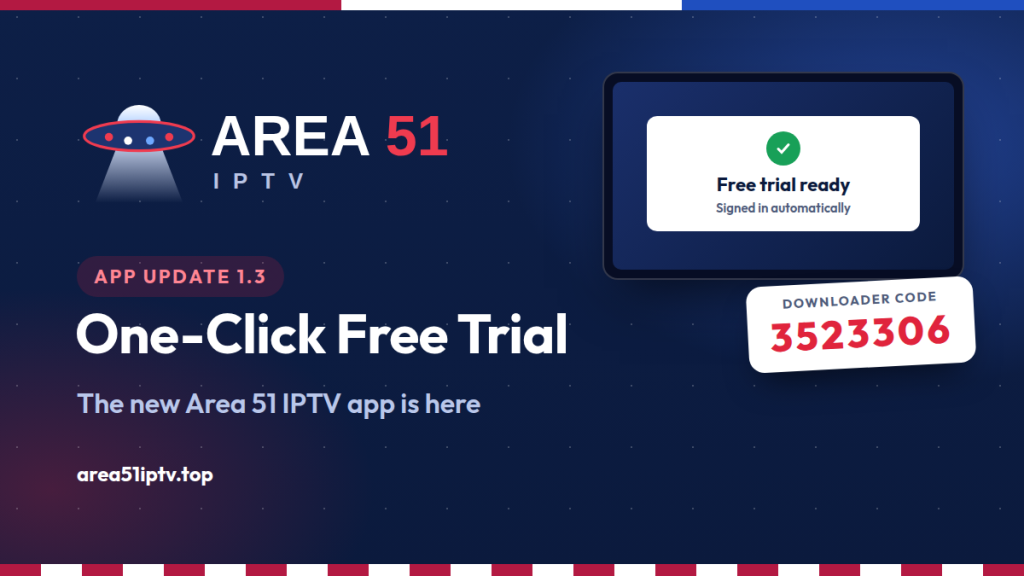
The Area 51 IPTV app just got its biggest update yet. Version 1.3 brings a brand-new design and a one-click free trial: tap one button, enter your email and the app creates your 24-hour trial and signs you in by itself. No server address, no username, no password to type. On a Firestick, the whole install takes about two minutes with the Downloader code 3523306.
Area 51 IPTV app 1.3 at a glance
- One-click free trial: a 24-hour trial is created automatically from inside the app.
- Automatic sign-in: the app logs itself in, on your phone or on your TV.
- New design: live TV, movies and series with colorful posters, search and categories.
- Downloader code: 3523306 for Firestick, Fire TV and Android TV.
- Works on: Fire TV, Android TV, Google TV, Android phones, and iPhone, iPad and computers through the web app.
- Price: the app is free; plans start at $14.99 a month after your trial.
What Is New in Area 51 IPTV App 1.3
We rebuilt the app around one idea: getting from install to watching should take less time than making popcorn.
- Free trial in one click. New viewers no longer wait for an email with login details. The trial is created on the spot and loaded into the app automatically.
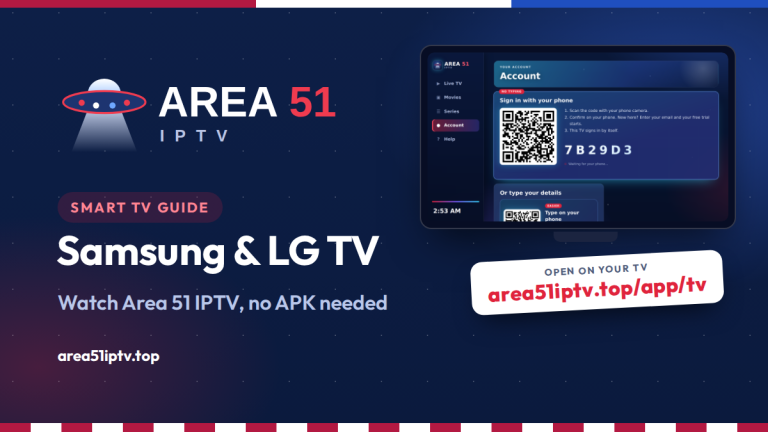
- Sign in without typing. On a TV, the app shows a QR code. Scan it with your phone, confirm, and the TV signs in by itself. On a phone, one tap opens the sign-in page.
- A fresh, modern look. A starry Area 51 theme, color-coded sections, and channel and poster tiles that are easy to spot from the couch.
- Movies and series, done right. Posters, ratings and plots for every title. Series are split into seasons and episodes, and the next episode starts by itself.
- Fast search and categories. Find any channel, movie or show in seconds, then filter by group or genre.
- Built-in player. Live TV, movies and episodes play inside the app. If you leave in the middle of a movie, it picks up where you stopped.
- Help in the app. 24/7 live chat, Telegram and email are one tap away in the Help tab, together with the Downloader code for your next TV.
How the One-Click Free Trial Works
The trial is created automatically by your Area 51 account, so there is nothing to copy or type:
- Open the Area 51 IPTV app and go to Account.
- Select Continue with Area 51 Account. On a TV, scan the QR code with your phone camera. On a phone, the sign-in page opens by itself.
- Enter your email. New customers get a free 24-hour trial right away.
- Go back to the app. It signs in on its own and your channels, movies and series load.
How to Install Area 51 IPTV on Firestick (Downloader Code 3523306)
The app installs with the free Downloader app. These steps work on the Fire TV Stick, Fire TV Stick 4K, 4K Max, Fire TV Cube and Fire TV smart TVs.
Step 1: Install Downloader
- On the Fire TV home screen, go to Find and select Search.
- Type Downloader and select the orange Downloader app by AFTVnews.
- Select Get or Download.
Step 2: Allow Downloader to install apps
- Go to Settings, then My Fire TV.
- If you do not see Developer options, open About, highlight your device name and press the select button 7 times. Then press Back.
- Open Developer options, then Install unknown apps, and switch Downloader on.
Step 3: Enter the code 3523306
- Open Downloader and allow access to files if it asks.
- Select the URL box, type 3523306 and select Go.
- The Area 51 IPTV app downloads in a few seconds. Select Install, then Open.
- When Downloader asks, select Delete to remove the setup file. The app stays installed.
Step 4: Start your free trial
Open Account, scan the QR code with your phone and enter your email. Your Firestick signs in by itself. To keep the app one click away, hold the Home button, select Apps and move Area 51 IPTV to the front row.
How to Install on Android TV and Google TV
Downloader is also available in the Google Play Store for Android TV and Google TV, so the steps are almost the same:
- Open the Google Play Store on your TV and install Downloader.
- Go to Settings, Apps, Security and restrictions, Unknown sources and switch Downloader on. On some Google TV models, first enable Developer mode: Settings, System, About, then press Android TV OS build 7 times.
- Open Downloader, enter 3523306 and select Go, then Install.
This works on Chromecast with Google TV, Google TV Streamer, Nvidia Shield, onn. boxes and Android TVs from Sony, TCL, Hisense and Philips.
How to Install on Android Phones and Tablets
- On your phone, open area51iptv.top/app/area51.apk in Chrome to download the app.
- Tap Open when the download finishes.
- If Android blocks the install, tap Settings and switch on Allow from this source.
- Tap Install, then Open. If Play Protect shows a notice, choose More details and Install anyway.
The app needs Android 5.0 or newer, is about 0.6 MB and only asks for internet access.
iPhone, iPad, Windows and Mac
Apple does not allow APK files, so iPhone, iPad and computers use the Area 51 IPTV web app, with the same channels, movies, series and account:
- iPhone and iPad: open the web app in Safari, tap Share, then Add to Home Screen.
- Windows and Mac: open it in Chrome or Edge and click the Install icon in the address bar.
If a channel does not start in the browser, tap Open in VLC to play it in the free VLC app.
Already Have the App? How to Update
Good news: the app keeps itself fresh. It downloads the newest screens in the background, so closing it completely and opening it again usually brings the new design.
To install version 1.3 itself, enter 3523306 in Downloader again and select Install. It installs over your current version and keeps you signed in. On Android phones, you can also download the new version from our Application page and install it the same way.
Tips for the TV Remote
| Button | What it does |
|---|---|
| Arrows and OK | Move through menus, channels and posters, and select |
| Back | Close a screen or go back |
| Up and down while watching | Change channel |
| Left and right in a movie | Rewind or skip 10 seconds |
| Play/Pause | Pause and resume movies and episodes |
Seeing buffering? Our guide on how to stop buffering on Firestick has 10 fixes that work on most devices. Every install guide is also on our Application page.
Area 51 IPTV App FAQ
What is the Downloader code for Area 51 IPTV?
The code is 3523306. Open the free Downloader app on your Firestick or Android TV, type 3523306 in the URL box and select Go. It always points to the latest official version of the app.
Is the Area 51 IPTV app free?
Yes. The app is free and includes a free 24-hour trial. After the trial, plans start at $14.99 a month.
Do I need to type a username and password?
No. Select Continue with Area 51 Account, enter your email on the page that opens and the app signs in by itself. Typing Xtream Codes details or an M3U link is still possible if you prefer.
Does the app work on iPhone and computers?
Yes, through the web app at area51iptv.top/app. Add it to your home screen on iPhone and iPad, or install it from Chrome or Edge on Windows and Mac.
Will updating remove my account?
No. Version 1.3 installs over the previous version and keeps you signed in.
Try the New App Free for 24 Hours
Enter 3523306 in Downloader, tap Continue with Area 51 Account and start watching in about two minutes.
Get the App See Our Plans
Comments