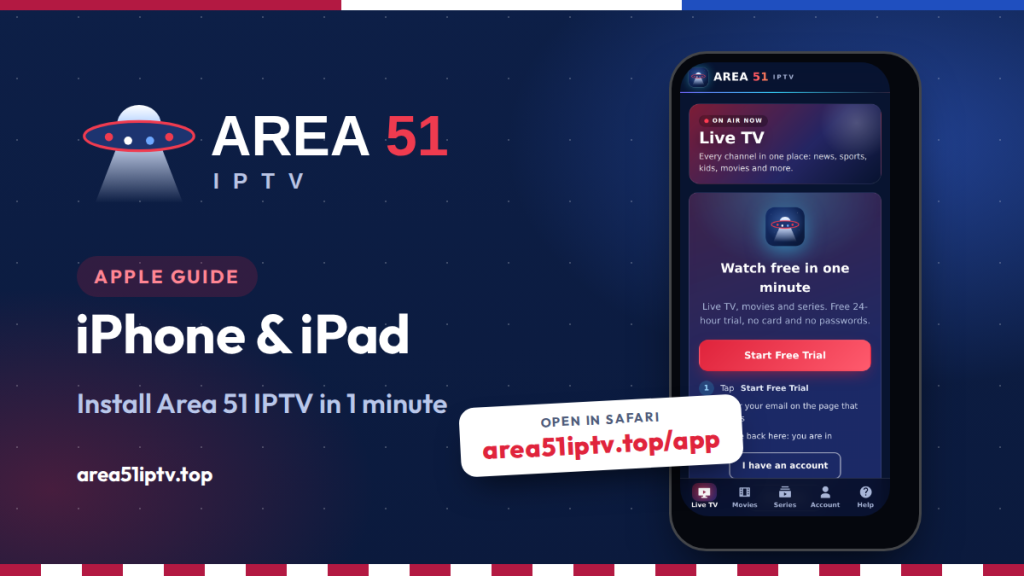
Want to watch Area 51 IPTV on iPhone or iPad? You do not need the App Store or a computer. The Area 51 IPTV app for Apple devices installs straight from Safari in under a minute, opens full screen from its own icon, and lets you start a free 24-hour trial with one tap. This guide shows every step, plus the free tool that makes every channel play smoothly.
The short version
- Open area51iptv.top/app in Safari, tap Share, then Add to Home Screen.
- Open the new Area 51 IPTV icon and tap Start Free Trial. There is no card and no password to type.
- Install the free VLC app once. If a channel cannot play inside Safari, the app opens it in VLC with one tap.
- Want it on the big screen? Use AirPlay to send it to your TV.
Is Area 51 IPTV on the App Store?
No. Apple does not allow apps from outside the App Store on iPhone and iPad in the United States, so the Android file used on Firestick (the APK) cannot be installed on iOS. Instead, Area 51 IPTV offers a web app made for iPhone and iPad. You add it to your Home Screen from Safari, and from then on it works like a regular app:
- It opens full screen from its own Area 51 IPTV icon.
- You get the same Live TV, Movies, Series, Account and Help sections as on Android.
- It always loads the newest version, so there is nothing to update.
Only use the address area51iptv.top/app. Look-alike sites exist, so type it yourself or use the link on our Application page.
How to Install Area 51 IPTV on iPhone
- Open Safari on your iPhone. Other browsers may not show the same option.
- Go to area51iptv.top/app.
- Tap the Share button, the square with an arrow pointing up. On newer iOS versions it may be inside the ⋯ menu next to the address bar.
- Scroll down and tap Add to Home Screen. If you do not see it, scroll to the bottom, tap Edit Actions and add it.
- If you see Open as Web App, leave it turned on. Keep the name Area 51 IPTV and tap Add.
- Find the new Area 51 IPTV icon on your Home Screen and open it.
Apple explains this feature in its guide Turn a website into an app in Safari on iPhone. You can also tap Install app inside Area 51 IPTV, and it shows these same steps on screen.
How to Install It on iPad
The steps on iPad are the same. The only difference is where the buttons are:
- Open Safari and go to area51iptv.top/app.
- Tap the Share button at the top right, next to the address bar.
- Choose Add to Home Screen, then tap Add.
On an iPad the app uses the larger screen, so channel lists, posters and episode lists have more room. It works in portrait and landscape.
Start Your Free Trial or Sign In
The first time you open Area 51 IPTV on iPhone or iPad, choose one of these:
- New here? Tap Start Free Trial. A page opens where you enter your email and confirm. Come back to the app and it signs you in by itself. Your trial lasts 24 hours and needs no card.
- Already a customer? Go to Account and tap Continue with Area 51 Account to sign in with your email, with no password to type.
- Have a login from your welcome email? Choose Sign in with Xtream Codes or an M3U link instead and enter the server, username and password. Movies and series need an Xtream Codes or Area 51 account sign-in. An M3U link shows live channels only.
Not sure which plan to pick after the trial? Our plans and pricing guide explains each one.
Add VLC for Smooth Playback
One free app makes Area 51 IPTV on iPhone play every channel. Safari can only play video streams that are delivered securely. Some live channels and movies are sent in a format Safari will not play inside a web page. When that happens, Area 51 IPTV shows an Open in VLC button so you can keep watching in the free VLC player.
- Install VLC media player, which is free, from the App Store. It is made by the non-profit VideoLAN, and its official iOS page confirms that it runs on any iPhone or iPad.
- In Area 51 IPTV, play a channel. If it shows Open in VLC, tap it and the stream opens in VLC.
- To skip that step every time, turn on Always play in VLC at the top of the Live TV list.
VLC also lets you use subtitles and audio tracks. Inside Area 51 IPTV you can tap CC in the player to choose subtitles, and on iPhone and iPad you can even add your own subtitle file.
Watch on Your TV with AirPlay
Enjoying Area 51 IPTV on iPhone and want a bigger picture? Your iPhone or iPad can send it to an Apple TV or to most recent smart TVs that support AirPlay.
- Connect your iPhone or iPad and your TV to the same Wi-Fi network.
- Start a channel or movie.
- Open Control Center, tap Screen Mirroring and choose your TV. If the video is playing in VLC, you can also tap the AirPlay icon in the VLC player.
Using a Samsung, LG or Roku TV? See how to watch Area 51 IPTV on Samsung and LG TV and how to watch Area 51 IPTV on Roku. For a TV you watch every day, a Fire TV Stick gives the smoothest experience. Install the Area 51 IPTV app there with Downloader code 3523306, as shown in our Firestick install guide.
Prefer an IPTV Player App?
If you would rather use an app from the App Store, many IPTV players accept an M3U link or Xtream Codes login. Our guide How to Watch Area 51 IPTV on IPTV Smarters Pro shows how to set one up. Check the developer name and recent reviews before you install, because the App Store has many look-alike players. A player never includes channels on its own. The channels come with your Area 51 IPTV plan.
Troubleshooting
- No “Add to Home Screen” option: make sure you are in Safari, scroll to the bottom of the Share sheet and tap Edit Actions to add it.
- The app asks me to sign in again: do not delete website data for area51iptv.top in Settings, Safari, because that removes your saved sign-in.
- A channel will not play: tap Open in VLC or turn on Always play in VLC. If a channel never works, tell us from Help.
- Buffering: switch to 5 GHz Wi-Fi or move closer to the router. Our tips on how to stop buffering work on any device.
- Need help now? Open Help in the app for live chat with real people, or message us on Telegram.
Area 51 IPTV on iPhone FAQ
Is there an Area 51 IPTV app in the App Store?
No. On iPhone and iPad you install the Area 51 IPTV web app from Safari with Add to Home Screen. It opens full screen from its own icon, just like an app.
Is Area 51 IPTV on iPhone free?
Yes. The app is free, and you can watch free for 24 hours with the one-click trial. After that you choose a plan.
Do I need VLC?
Not always. Many streams play right inside the app. VLC is a free backup for streams that Safari cannot play, and the app opens them in VLC with one tap.
Does it work on iPad and iPod touch?
Yes. The steps are the same on iPad. Any device that runs a recent version of Safari can add the app to its Home Screen.
Can I use the same account on my Firestick?
Yes. Sign in with the same Area 51 account or login on your Firestick, Android phone or computer. Your plan shows how many screens you can use at once.
Watch Area 51 IPTV on iPhone Today
Open area51iptv.top/app in Safari, add it to your Home Screen and watch free for 24 hours.
Start My Free Trial See All App Downloads
Comments