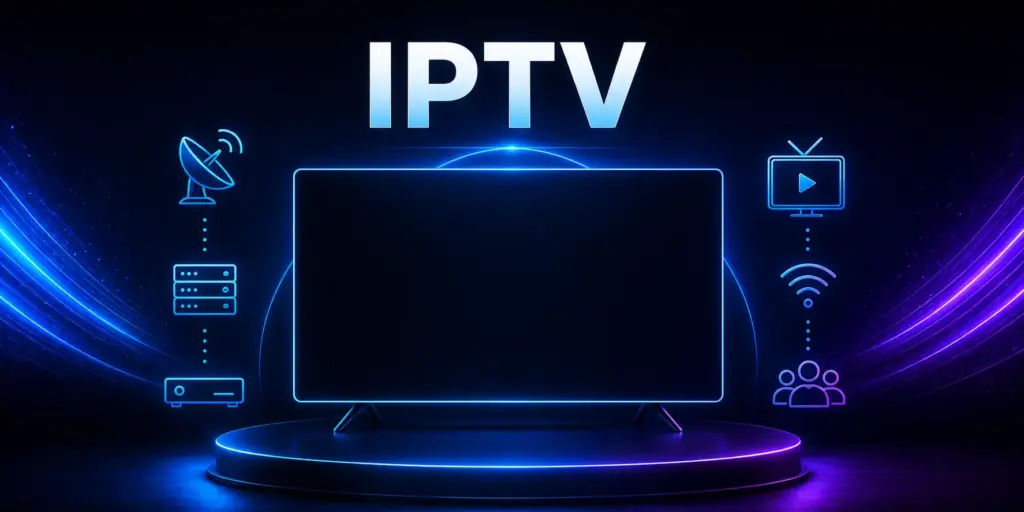
IPTV has gone from a niche tech term to the way millions of American households watch TV. If you are tired of a cable bill that keeps climbing, this guide explains what IPTV is, how it works, what you need at home and how to get a smooth, buffer-free picture, in plain English.
Key takeaways
- IPTV delivers live TV and on-demand shows over your internet connection instead of a cable or satellite line.
- Streaming is now the biggest way Americans watch TV: 49.0% of all TV viewing in July 2026, according to Nielsen.
- You need a stable connection (we recommend at least 10 Mbps for HD and 25 Mbps for 4K) and a compatible device such as a Firestick or Android TV.
- The smartest way to choose a service is to test it first. Area 51 IPTV offers a free 24-hour trial with no credit card.
What Is IPTV?
IPTV stands for Internet Protocol Television. Instead of receiving channels through a coaxial cable or a satellite dish, you receive them as data over your home internet connection, the same way you load a website or a video.
That simple change has big consequences. You no longer need a cable box, a technician visit or a long-term contract. If your TV or streaming stick can connect to the internet, it can play IPTV.
Most IPTV services, including Area 51 IPTV, give you three things in one place:
- Live TV: news, entertainment and sports channels, organized in a familiar channel guide.
- Video on demand (VOD): movies and series you can start whenever you want.
- A TV guide (EPG): an on-screen schedule that shows what is on now and next, just like cable.
IPTV vs. cable vs. regular streaming apps
| Cable or satellite | Single streaming app | IPTV service | |
|---|---|---|---|
| How it arrives | Coaxial cable or dish | Internet | Internet |
| Live channels | Yes | Usually few or none | Yes, in a channel guide |
| Equipment | Rented box | Any streaming device | Any compatible device |
| Contract | Often 1 to 2 years | Monthly | Prepaid plans, no contract |
How IPTV Works (Without the Jargon)
Think of IPTV like a very organized video library that is always live. Here is what happens when you press a channel:
- You pick a channel or title in the IPTV app on your TV, stick or phone.
- The app requests that stream from the provider’s servers over the internet.
- The video arrives in small pieces and your device plays them back in order, keeping a few seconds in reserve (the “buffer”) so playback stays smooth.
Because everything travels over your internet line, the quality of your connection and home Wi-Fi matters more than anything else. We cover exactly what you need in a moment.
Why Americans Are Switching to IPTV
The shift away from traditional TV is no longer a trend. It is the new normal. According to Nielsen’s July 2026 report of The Gauge, streaming accounted for 49.0% of all TV viewing in the United States, while cable fell to 18.7% and broadcast to 19.5%. Just months earlier, streaming had already set a record 47.5% share in December 2025.
The other big reason is cost. J.D. Power reported that the average American paid $121.86 a month for cable or satellite TV on its own, and $187.99 a month when TV was bundled with internet (figures through January 2025). Over a year, TV alone adds up to more than $1,400.
By comparison, IPTV plans are prepaid and typically cost a fraction of that. You can see exactly what Area 51 IPTV costs in our 2026 plans and pricing breakdown.
What You Need to Watch IPTV
1. A reliable internet connection
For a smooth picture, we recommend at least 10 Mbps for HD and 25 Mbps for 4K per TV that is streaming at the same time. The FCC’s Broadband Speed Guide is a helpful reference if you want to compare how much speed different activities in your household use.
Not sure what you are getting? Run a free test at Speedtest by Ookla from the room where your TV is, ideally in the evening, when networks are busiest.
2. A compatible device
IPTV works on most modern streaming hardware. The easiest option is a device that can run the Area 51 IPTV app:
- Amazon Firestick and Fire TV (Fire OS models)
- Android TV and Google TV devices, including many Smart TVs
- Android phones and tablets
Using a Smart TV, Apple TV, iPhone or computer instead? That works too. Just tell us your device when you request your free trial and we will send setup steps for it.
3. A good home network setup
- Use a wired Ethernet connection for your main TV if you can. It is the single best fix for stuttering.
- If you use Wi-Fi, keep the router in an open, central spot and use the 5 GHz band when your device is close to it.
- Restart your router and streaming device every few weeks to clear memory and refresh the connection.
How to Choose an IPTV Service: A 7-Point Checklist
Not all IPTV services are built the same. Before you pay, check these seven things:
- A real free trial. You should be able to test the service on your own TV before paying. No card should be required.
- US-focused channels. Look for local news, national networks and the sports you actually watch.
- A proper TV guide (EPG). Browsing live TV without a guide gets frustrating quickly.
- HD and 4K quality with stable playback at prime time.
- Clear, prepaid pricing in US dollars, with no hidden fees and no long contract.
- Responsive support you can reach by chat or email, in US time zones.
- Published policies: a clear refund policy, terms of use and privacy policy. Services that hide these are a red flag.
How to Fix Buffering: 8 Quick Fixes
Buffering is the most common complaint with any streaming service, and it is usually fixable in minutes. Work through this list in order:
- Restart your device and router. Unplug both for 30 seconds.
- Test your speed from the TV’s location, not from your phone in another room.
- Switch to Ethernet, or move the router closer to the TV.
- Close background apps on your Firestick or Android TV.
- Clear the app cache in your device’s app settings.
- Lower the quality from 4K to HD during busy evening hours.
- Pause large downloads and game updates elsewhere in the house.
- Update the app to the latest version from our application page.
Still stuck? Contact our support team with your device model and speed test result, and we will help you find the cause.
Watching Live Sports on IPTV
Live sports are the toughest test for any stream, because every second counts. To get the best game-day experience:
- Open the channel a few minutes before kickoff so the stream is stable when the action starts.
- Use your fastest connection (ideally Ethernet) for the big game.
- Check the sports section of our site and the IPTV by State map to see the teams and channels fans in your state follow most.
Staying Safe with IPTV Apps
- Download apps only from the official source. For Area 51 IPTV, that is our application page. Copies from other websites can be modified.
- Keep your device’s security features on. On Android devices, Google Play Protect scans apps for harmful behavior.
- Never share your password or card number in public chats or groups.
- Read the policies before you pay, including how refunds work.
Ready to set up your device? Follow our step-by-step guide: how to install the Area 51 IPTV APK on Firestick, Android TV and Android.
IPTV FAQ
Do I need cable to use IPTV?
No. IPTV only needs an internet connection and a compatible device. There is no cable box and no installation visit.
How much internet speed do I need for IPTV?
We recommend at least 10 Mbps for HD and 25 Mbps for 4K for each TV streaming at the same time. A wired connection gives the most stable results.
Can I watch IPTV on more than one TV?
Yes, depending on your plan’s connection limit. Each TV that is streaming at the same time uses one connection.
Is there a contract?
Not with Area 51 IPTV. Plans are prepaid for the period you choose and do not renew automatically.
How can I try IPTV before paying?
Request a free 24-hour trial, or install our app and start the trial from inside it. No credit card is needed.
Try Area 51 IPTV Free for 24 Hours
Test live TV, sports and 4K on your own TV. No credit card, no contract.
Start My Free Trial See Plans and Prices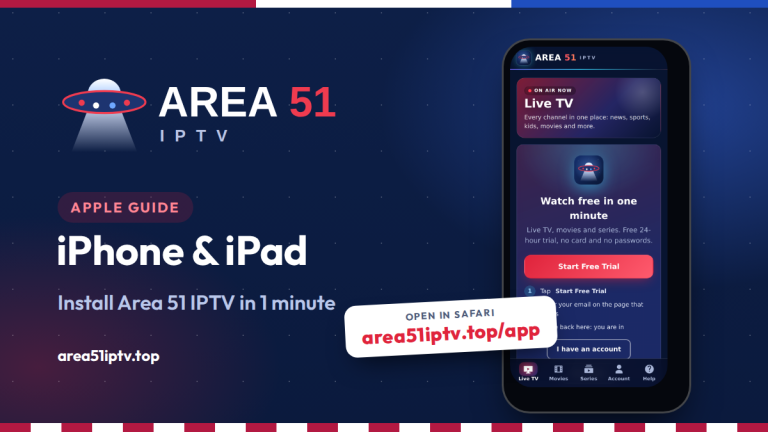
Comments